
Create_ · Season 0 · Episode 32
Podcast Editing Made Simple in 2025 | Podcast Growth Blueprint Part 2
1 Oct 2025 · 25 min · Part 2 of 2, Podcast Growth Blueprint
This episode is Part 2 of our podcasting series—this time, we're diving into EDITING and preparing your podcast for social media. From avoiding perfection traps to keeping your content authentic, I'll walk you through real lessons from the editing room.
 32 minUp nextHow ChatGPT is Killing Google – And What You Can Do About ItEpisode 33 · 9 Oct 2025
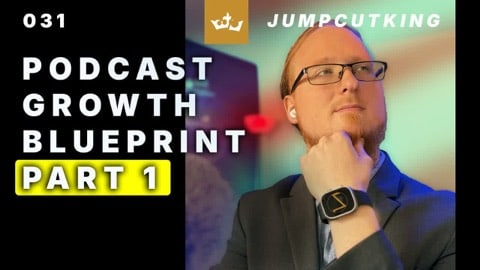 25 minSame seriesHow to Start a Podcast in 2025 | Podcast Growth Blueprint Part 1Episode 31 · 24 Sept 2025
 38 minRelated topicHollywood vs AI: My Journey Creating a Visual Drama With Artificial IntelligenceEpisode 23 · 25 Jul 2025
 21 minRelated topicDisruptive Innovation Part 3Episode 20 · 2 Jul 2025
Chapters · 9
 0:00Intro: Why Editing Matters
 0:22Don't Overwhelm Yourself on Day 1
 1:22Podcast Fails: When Tech Goes Wrong
 2:42Editing Yourself = Growth Hack
 6:01Your Podcast is Your Signature Dish
 7:00Why You Should Never "Fix It in Post"
 16:37Don't Quit When Tech Fails
 22:04Content Over Quality (Always)
 24:53Final Encouragement & Prayer
From the episode
Worth repeating
Word for word from the episode. Tap a time to play from that point.
“So you have to be okay with releasing something you think is not going to be top tier, best production ever.”
“Podcasts are you on a plate. It's like a best podcast would be like your signature dish in front of Gordon Ramsay.”
“People don't connect with an ethereal podcast or an ethereal brand.”
Show notes
In this episode
This episode is Part 2 of our podcasting series—this time, we're diving into EDITING and preparing your podcast for social media. 🎧 From avoiding perfection traps to keeping your content authentic, I'll walk you through real lessons from the editing room.
👉 Learn why "fixing it in post" is a trap, how to find viral clips, and why content always beats gear.
Timestamps / Scene Selections:
00:00 – Intro: Why Editing Matters
00:22 – Don't Overwhelm Yourself on Day 1
01:22 – Podcast Fails: When Tech Goes Wrong
02:42 – Editing Yourself = Growth Hack
06:01 – Your Podcast is Your Signature Dish
07:00 – Why You Should Never "Fix It in Post"
16:37 – Don't Quit When Tech Fails
22:04 – Content Over Quality (Always)
24:53 – Final Encouragement & Prayer
💡Don't overthink it. Start messy. Learn as you go. The only way to grow is to begin.
Let's Connect
@jumpcutking on Instagram, X/Twitter, Facebook
Copyright
© 2025. EGT. All Rights Reserved.
Concepts and creative material shown may be the protected intellectual property of EGT, The Universe, or its respective copyright holder, and are provided for educational purposes only.
Using this content to train AI is strictly prohibited.
Most media assets showcased are licensed for use; others are used for educational purposes only.
Transcript
Full transcript
This transcript may contain errors. About 2,570 words.
0:00 This is a continuation of last podcast where I showed you all the things that you need to do, or told you, all the things that you need to do to make your podcast great. And now we're going to talk about editing your podcast and preparing it for social media. And now I chose to make this a part two, but it's probably going to be a more condensed version because I don't want you to get overwhelmed with the technique and the technology. The number one pitfall people do when they jump into something is overwhelm themselves.
1:04 I'd be in the middle of a podcast and someone would call my phone. I'd be in the middle of a podcast and the audio would be disconnected. I'd be in the middle of a podcast and a lightbulb would go out or technology would fail or I would record it and I'd have to re-record it because the technology would collapse and just stop functioning. All these things happen. And I can tell you, it is extremely frustrating when you've been spending six hours to record a podcast, get the content right, go into the editing room and see that your podcast has failed.
2:07 We all are kind of like this puzzle piece that works together. It's a different philosophy, I know. But I'm more harsh on myself than I am on anyone else. And frankly, these podcasts could be 10,000 times better. They could. But I have to choose my time investment. So you have to be okay with releasing something you think is not going to be top tier, best production ever. And, you know, you make mistakes. It's okay to make mistakes. You can edit them out. You'll find content that you continuously will prune out of your podcast as you train yourself what to say.
3:11 And I have clients that ask me to do commercials. And I try to do a lot of pre-production. A lot more than most people are used to. It's actually really strange. I walked into a room once where the client told me, Hey, are you going to let us into the pre-production process? Are you going to let us, like, how does this work? Or are you just going to send us a final version and it is what it is? What I do is, A, I want you to be happy because I want you to keep coming back for more.
4:11 But creating a commercial for a client isn't an art. It's a professional job plus your art. But if the client advises you do X, if the data advises you do X and you choose to do Y because you think you're better than the data or better than the client, it's probably not a good idea to do. Now, I do warn clients when I know from experience, hey, this is the best way to do it. I strongly recommend we stay here. And if they're like, no, no, no, I really want to change that. I really like to do this instead.
5:12 They're not going to be perfect. And you're not going to 100% know their business. You know your business. They know their business. And you guys need to meet in the middle. In pre-production, if you plan your podcast out, you and ChatGPT write a script, write bullet points. You review them. You make changes. You do research. You check ChatGPT if you're using ChatGPT. I know I'm saying it a lot and people are like, oh my God, don't use a clanker, blah, blah, blah, blah. Hey, using ChatGPT is not bad.
6:14 not the trimmed version, not the produced version, not some talent agency or some brand professional telling you, I want you to do X, I want you to look Y, I want you to do Z. No, it's you. Now, you may have professionals that tell you, don't say X on your podcast. You need to fix that. Don't say this. Don't do this. Fix this. Growing and improving your podcast is something that's always going to happen. I tell all of my clients this. Never, never, never say to me, we'll fix that in post.
7:15 For a local city, we did a bunch of arrows going around, it's kind of like these 3D light streaks, and I actually tested that with test footage before we went into production to know what worked and what wouldn't work. And we tailored the shots to work with the effect we wanted. It's the same kind of thing. It's all about preparedness and preparation. The more prepared you are, the easier it is that you're going to be able to go in and do what you need to do. When you transition into production and you turn on your lights, you check your audio, you're listening to your audio, you see your audio levels, you see your video that you're recording.
8:16 because frankly, I love that iPhone Air speaking to me. He's speaking to me. Although, for personal reasons, I don't think I'd actually use an iPhone Pro 17 as my replacement camera for podcasting. So, there's that. But you're seeing yourself, you're hearing yourself, you've done the lights, you've done the work, you've tested shadows, so you don't see shadows that you don't expect. You get used to seeing things like sometimes cinematic, but we'll do weird things. Because you're just making sure everything's right, you record it, and you're recording it well, you're double-checking to make sure that you're hearing yourself, that your audio is not going out, that your video is not going out, you're not losing signal in the middle of your podcast.
9:20 Now, there are exceptions to this rule. My iPhone currently is not on charge, is not directly connected to the computer, it's using Wi-Fi, but I also have dedicated Wi-Fi for it, which is literally like right behind this computer, it's right there. So, I can't recommend that. I always prefer hardline power to lights, power to laptops, power to cameras. Don't use batteries, don't trust, do not trust that a battery is charged, not going to fail you, that you're not going to lose Wi-Fi signal.
10:23 I think it's called Overlord or something like that, or Underlord, I think, because it's not Overlord, but whatever. It's not great because if you make mistakes, which natural people will do, every podcast people will make mistakes. Sentences are not going to be finished. Words, people are going to trip over words. People are going to mispronounce things. Everyone is going to make a mistake. AI is going to look at the text and take the first take every time. First take, which is usually the worst take to use, and then delete the other takes and connect them together.
11:24 Sure, the technology will grow. Sure, the technology will expand and get better. But for now, use iMovie, Final Cut, Adobe Premiere. If you use Adobe Premiere, you can also do caption generation, things of that nature. You won't be able to do animated captions. I had to buy a separate app to do that. But you'll be able to take manual control and listen to everything in real time. Strongly, strongly, strongly, strongly recommend that you edit and listen to your own podcast, especially the first 10, 15, 20 podcasts.
12:24 Sometimes use prompter, this is completely unprompted, this is unscripted, this one and the other one. Well, I guess not unscripted, I do have notes, but there is no prompter attached to the iPhone at this time. Don't use any cloud systems. Disable on your computer. Now, if you have Windows, turn off OneDrive, delete it, uninstall it, move it away from your system, especially if you're editing. Also, OneDrive is a security risk, especially if people do session hijacking and it can get really, really bad.
13:25 versus you. You want to take full complete storage. Plus, cloud syncing takes a lot of processing and a lot of Windows machines don't have very great caching and, you know, just, you have RAM issues and all sorts of things. So, just disabling it speeds up your computer. Also, if you're editing, unofficially, it will tell you to turn off your antivirus because it slows you down. Of course, that's unofficial. You got to turn it back on. Don't browse the web while you edit. Disconnect from the web while you edit.
14:27 Also, I strongly recommend that you switch to Mac and you use a Mac Mini. It's a great platform for doing almost anything editing and it's cheap, cheaper than the Macs. But, of course, if you have some money to lay around and a MacBook Air will do wonders for you. I say that because you'll have less issues with drivers and updates and things interfering with Adobe. Although Adobe's updates themselves will interfere, I don't recommend that you have any auto-update. Turn all your auto-update stuff off.
15:28 it will write the video like this and the audio will be about three frames behind. Almost perfectly three frames behind. Sounds like a software glitch to me. It depends on the version of update you're using. Go in, remove ums, remove mistakes. Don't worry about it. If you're a rabbit trail, delete those rabbit trail moments. It's okay. Trim it down so it's 20 to 30 minutes, 45 minutes at the most when you're starting off. If you have a niche that really works and people are really connected to you and you're starting to see your YouTube views go up, you're starting to see your Spotify views go up and you're starting to see them stay longer, great, you can do longer ones.
16:28 and you miss a deadline and you have to go through, like the podcast can move, it sucks for your growth of your audience a little bit but it's okay. Don't beat yourself up for making mistakes. The adventure of being a content creator is learning and growing. Don't beat yourself up when the technology fails. Don't beat yourself up if life happens you get into a car accident and you get sick, etc. Don't beat yourself up. Just keep going. Keep doing. Let the Holy Spirit inspire you to keep going and going and let Him give you energy, let Him give you strength so that you can continue to pursue and not have to worry about, you know, whether you're going to make it on time or whether this is going to happen.
17:29 A lot of my content is well researched so I'm more pre-production and less on the production amount so you can hear it and two times it and get the information I'm talking to you about. So I do less of the production, value of the lower thirds, the on-screen graphics, that kind of thing but it does help in certain conversations. In this particular conversation, this is more of me talking to you without having to show you a bunch of stuff, just sharing you tools and techniques.
18:29 but even doubly so for your social media so that it's quick. Under 30 seconds, you're going to have higher watch time. When it's 60 seconds, you're going to have lower watch time but you might get more views. It depends on how it works and how the algorithm likes your content. Remember, you want to find bits and pieces of the podcast that are complete thoughts or close to complete thoughts that you could put text hooks at the top and captions at the bottom and someone's getting some nugget of information.
19:31 So if you have a niche, if you have something you're passionate about, social media will help you find that audience. But it's also careful to test your consistency. So I recommend you continuously post reels, you continuously post new content, you have a content strategy. At minimum, post one a day. Three o'clock, 3 p.m., 5 p.m., 9 p.m. post at least once a day on all platforms. You can share the content across all platforms. There's no problem with repurposing the same clip across all platforms because you have different audiences on all platforms.
20:31 that lets you schedule. Instagram, you can now do scheduling. Facebook, you can now do scheduling. LinkedIn, you can do scheduling. So you can literally in one day create your podcast content, edit your podcast content, upload your podcast content, and all your social media strategy and be hands-off the rest of the week, which is great for content creators, entrepreneurs, businesses like you, people who are passionate about content can see growth. And you can make changes and you can add organic posts in between there.
21:32 businesses make. Okay, and then you have captions underneath the very bottom where you read it. Now you have to have a safe area so you can use Adobe Premiere to automatically create those texts. There's a lot of text templates. You can use your font. You can customize it. I use an app to do the animations because a lot of people see the word animation. So I edit in Premiere, put my hook in Premiere, export it, put it into that application. It runs the captions almost like that.
22:32 is immaterial. So you don't have to have a world's greatest camera. You can use a webcam for all we care. Your audio, still should sound good but you could use not so great audio and if the content is there, people will still like it. I can't tell you how many podcasts on the world could use a production upgrade like mine but they still reach their audience because people love the content. If the content is connecting to your audience, matches with them, matches to their interests, they're going to be there. content over quality.
23:33 and YouTube. Those are two platforms I use. I upload to YouTube and Spotify. Spotify automatically aggregates or posts to Apple Podcast Connect. I have an Apple Podcast Connect profile that I created. It's attached to The Universe's whatever. I'm able to see the analytics from Spotify. Spotify tries to only show you Spotify's analytics but does show you others. It's not great for analytics. Apple has its own analytics. YouTube's analytics are far better than anything Spotify can provide at the current time although Spotify owns Megaphone which is like one of the premier platforms to use podcasts but it's a paid platform so who knew?
24:33 out of your week to create a good podcast. It's okay. It's part of the process. Again, I pray right now that you embrace the podcast process that you embrace the process of whatever God has put your hands to that whatever you put your hands to will prosper that you'll be given patience you'll be given an inner peace that technology won't frustrate you that you'll be granted the ability to pursue that vision that God has placed deep in your heart that that thing that you're passionate about the thing that gives you purpose the thing that God has placed in your soul to accomplish I pray right now that you get inspired to accomplish it and that this helps you gives you wisdom understanding the Lord gives you wisdom understanding and peace on everything you do I pray this in Jesus mighty name. I pray this in